


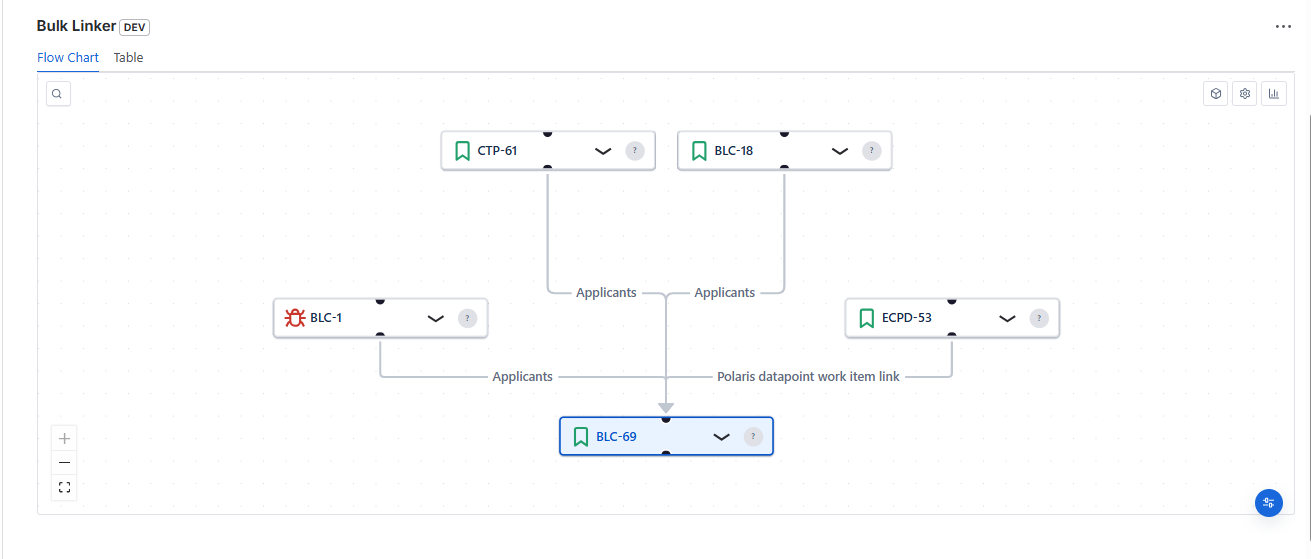
Jira Bulk Issue Linking Made Simple
Stop manually clicking through hundreds of issues.
Bulk Linker helps you link, unlink, update, and visualize Jira issue dependencies at scale
Works with Jira Cloud, Server & Data Center.
Connect or disconnect hundreds of issues across projects instantly
Replace “Relates to” with “Blocks” across your entire selection in one action
Understand your issue relationships instantly with interactive mind maps, structured flowcharts, and a clear table view.
Use powerful JQL filters to precisely select the issues you want to update

Track "Blocks / Is Blocked By" dependencies in a clean, structured flow..
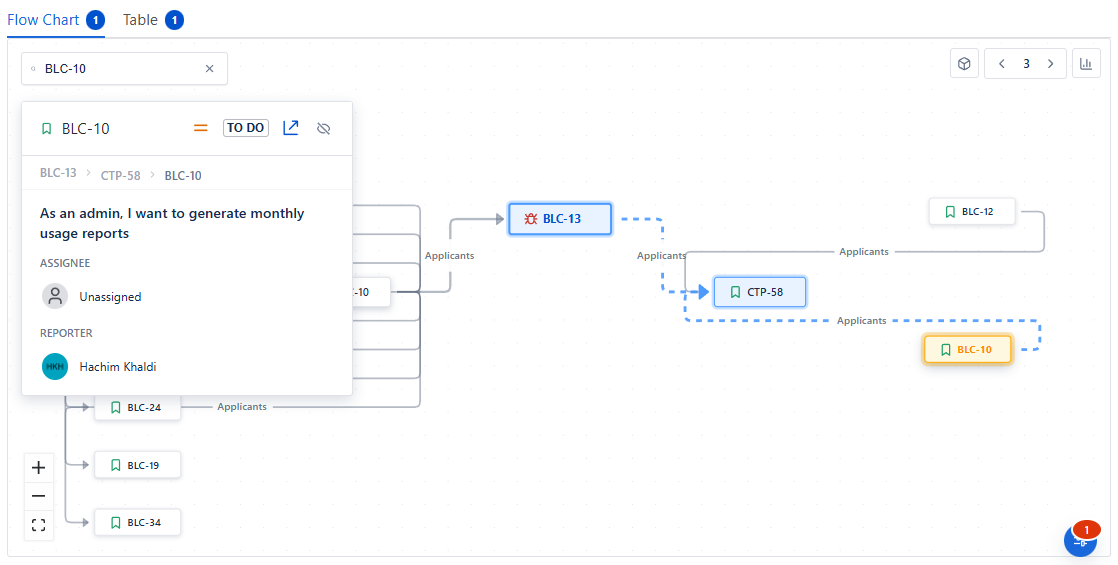
See your issue relationships as a dynamic graph. Spot blockers, clusters, and bottlenecks instantly.
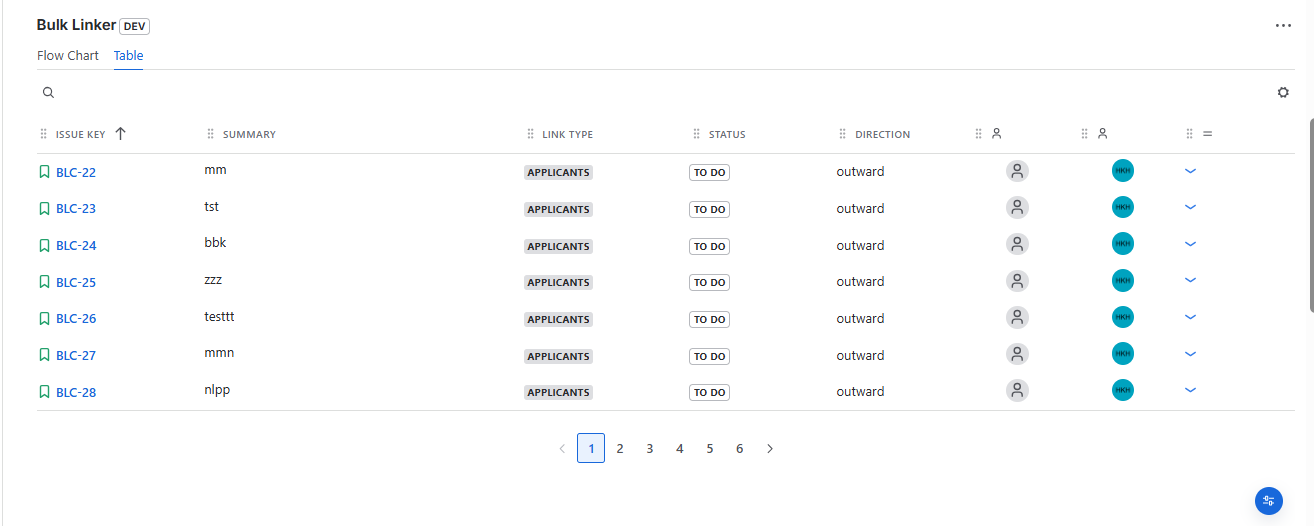
When precision matters, the table view provides a clean and organized layout of all linked issues.The table complements the visual views by giving you detailed control and clarity in a familiar format.
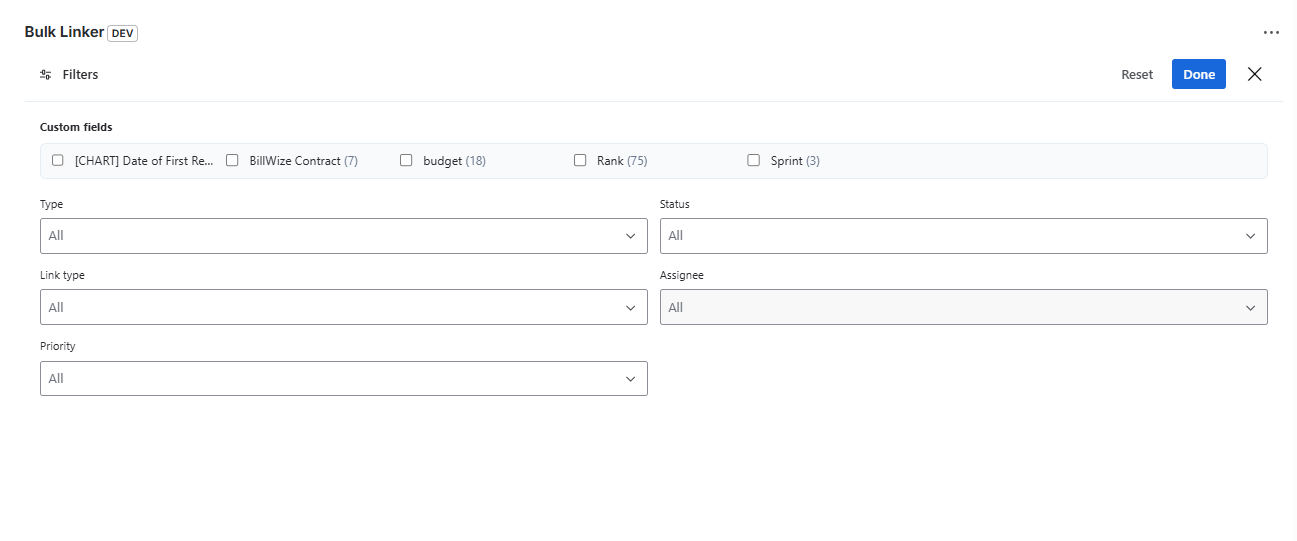
Focus on what matters by filtering by status, assignee, project, or custom fields. Filters update instantly across mind maps, flowcharts, and tables.

Fully compatible with Jira Cloud. Install directly from the Atlassian Marketplace. No infrastructure management required.
Built and tested for Jira Data Center deployments. Designed for high availability and enterprise environments.
Bulk Linker eliminates the manual effort of managing Jira issue links one by one. It allows you to bulk link, unlink, update link types, and visualize dependencies across hundreds of issues in seconds.
Yes. Bulk Linker supports Jira Cloud as well as Jira Server and Data Center environments.
Yes. You can replace one link type with another across multiple issues in a single action.
Bulk Linker is designed for performance and scale. Filters help you preview and refine your selection before applying changes.
Yes. You can bulk add web links to multiple Jira issues for documentation, designs, or external references.

