


cfa-logo

Custom Field Governance in Jira | Custom Field Ambassadors

Custom Field Ambassadors centralizes custom field governance and ownership in Jira. Administrators can assign Field Ambassadors, monitor field usage across projects, prevent custom field sprawl, and maintain consistent data standards. The result is a structured, scalable, and manageable Jira environment.

Trusted by Jira administrators to reduce ticket load and speed up field updates.

Custom field governance in Jira with Custom Field Ambassadors

Why teams choose Custom Field Ambassadors

Lower admin load

delegate routine option maintenance to product owners and SMEs.

Scoped permissions

Ambassadors only manage fields and contexts they are assigned to.

Faster updates

Update options directly in-context using drag & drop and bulk edits.

Compliance-ready

Audit trail for every change plus rollback capability.

Jira Cloud

Fully compatible with Jira Cloud. Install directly from the Atlassian Marketplace. No infrastructure management required.

Jira Data Center

Built and tested for Jira Data Center deployments. Designed for high availability and enterprise environments.

Platform Availability

Built for Jira Cloud and Data Center, with consistent delegation and governance across environments.

Key Features

Custom Field Ambassadors centralizes custom field governance and ownership management within Jira. It enables administrators to assign Field Ambassadors, monitor field usage across projects, prevent custom field sprawl, and maintain data consistency. By introducing clear accountability and visibility, organizations keep their Jira instance structured, scalable, and easier to manage over time.

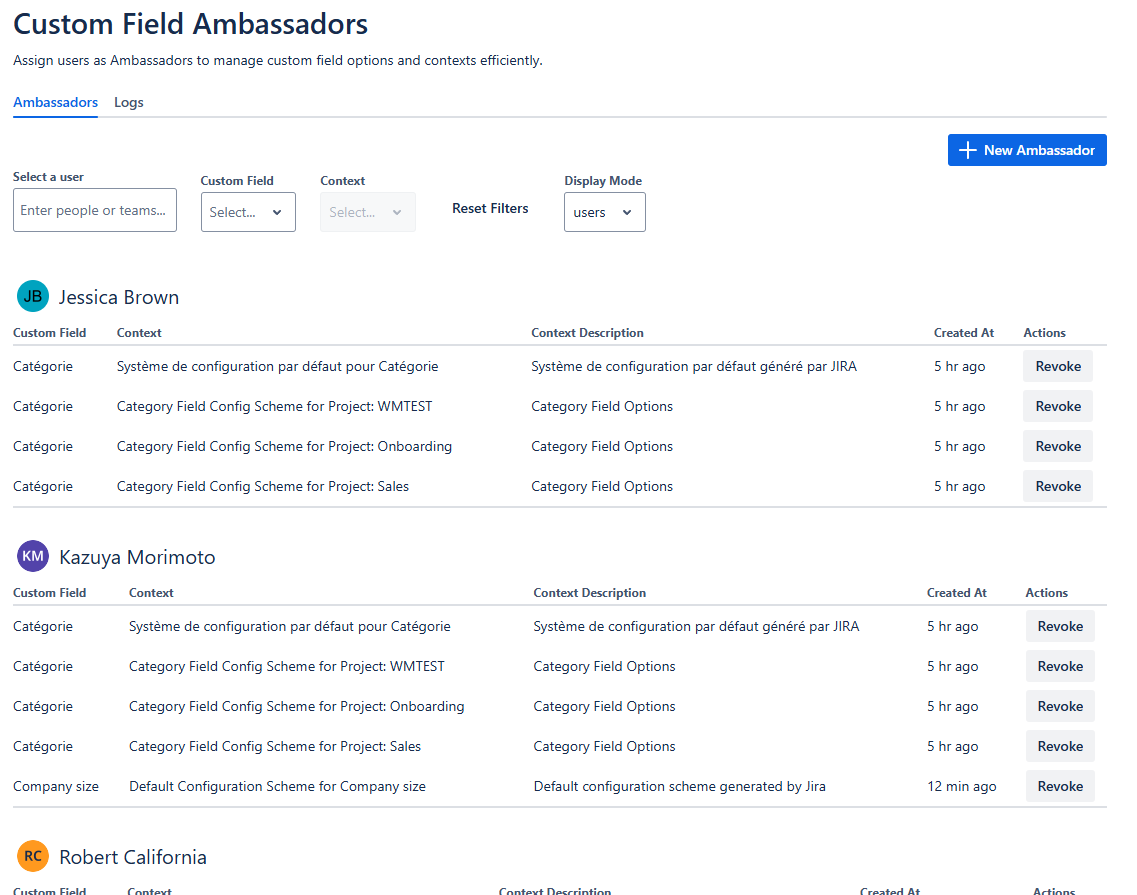
Custom field governance in Jira admin overview

Administrator overview

Jira administrators gain full visibility into all Ambassador assignments across the instance. This ensures controlled delegation and centralized governance of custom field management.
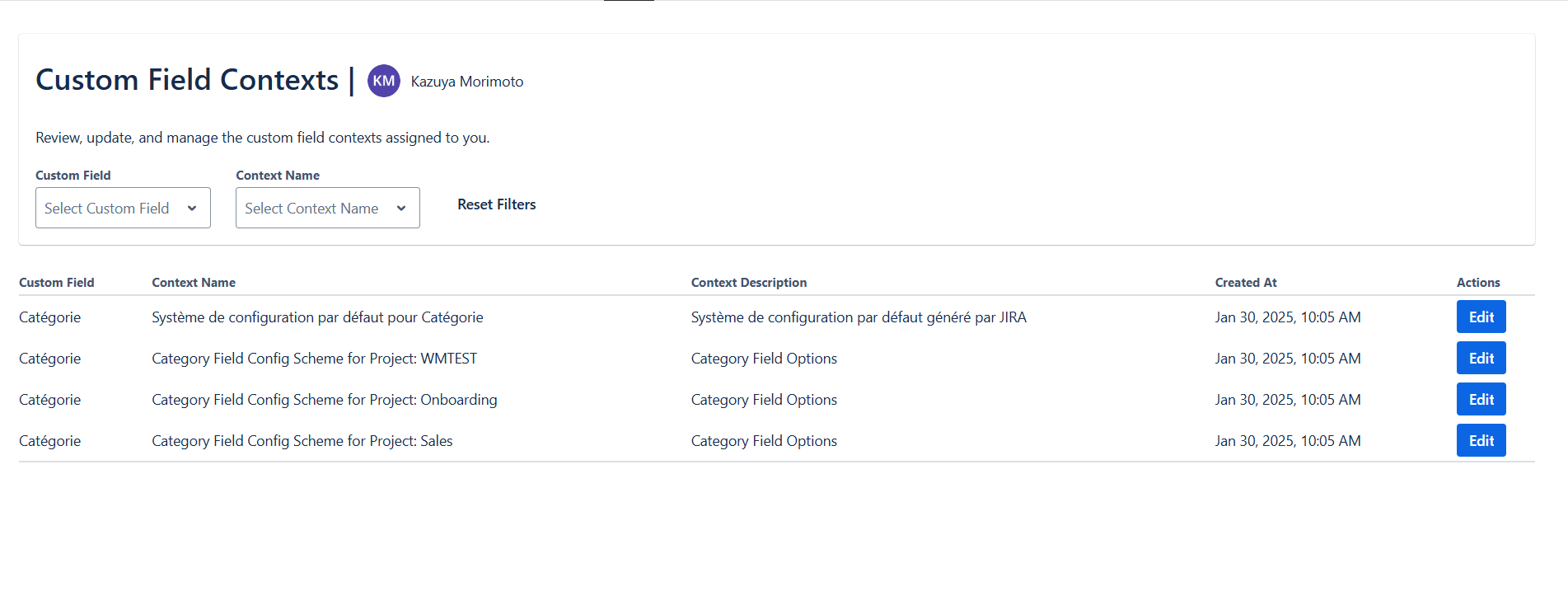
Ambassador workspace

Ambassadors have a dedicated workspace to view all assigned custom fields and their contexts. This establishes clear ownership and eliminates ambiguity in field management.
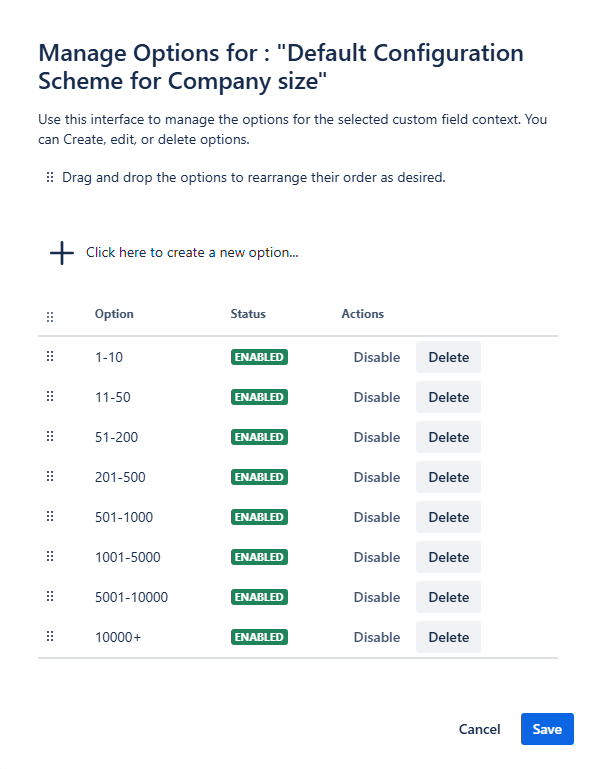
Drag & drop reordering

Ambassadors can update custom field options within their assigned scope. This includes maintaining option lists without requiring Jira administrator access.
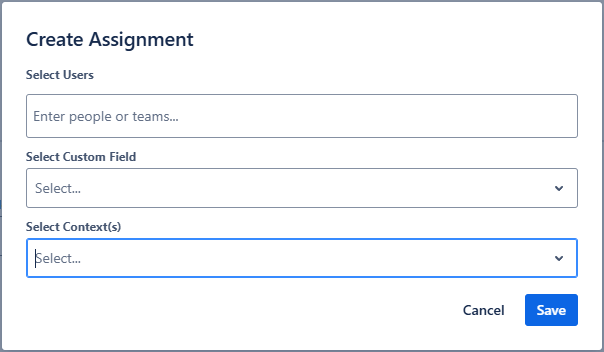
Ambassador assignment

Administrators can assign a user or group as Ambassador for specific custom fields and define the contexts where they are allowed to manage options.
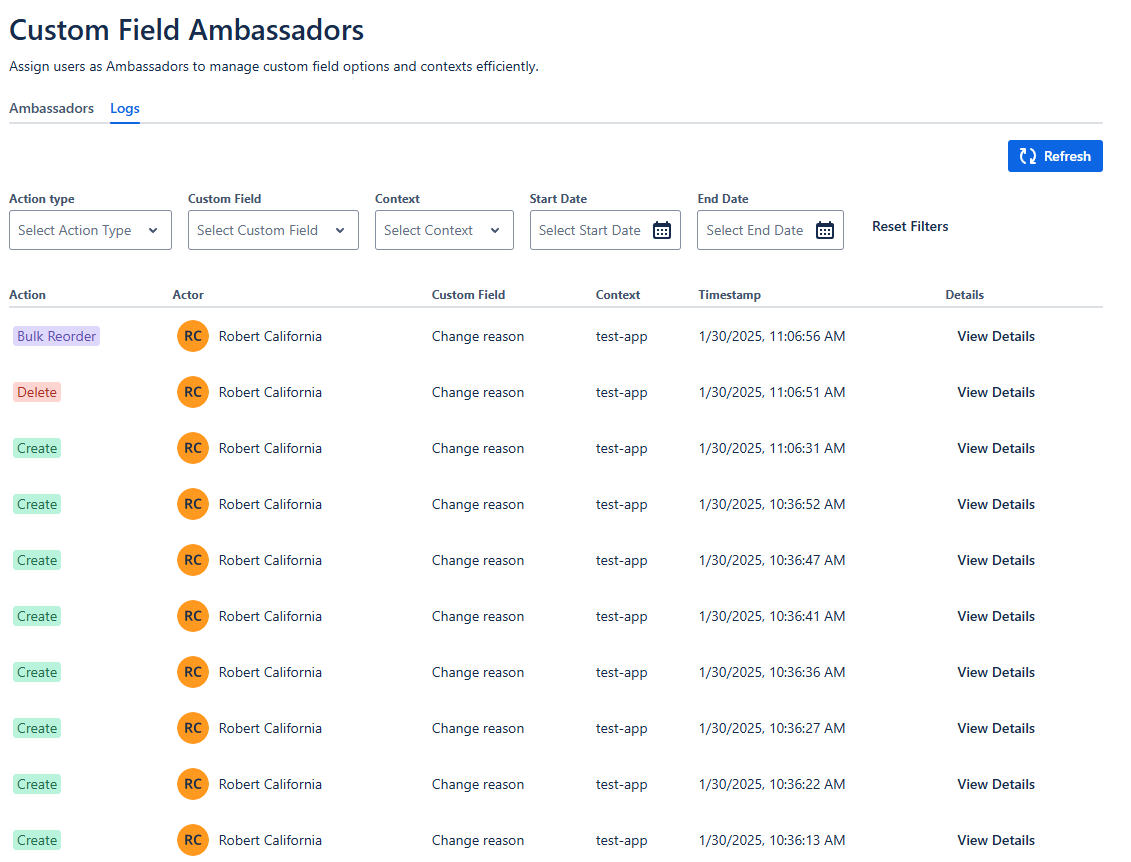
Activity logs

All changes to Ambassador assignments and custom field options are recorded. This provides transparency and accountability across the system.

FAQ

Most frequent questions and answers

No. Ambassadors are granted scoped permissions limited to the fields they manage; Jira admins retain final control and can revoke assignments.

Yes. The app keeps an audit trail for option edits and deletions; authorized users can restore previous states from the change log.

Ambassadors can manage custom field options within their assigned scope. This includes adding options, enabling or disabling options, and reordering existing values.

Yes. All changes to Ambassador assignments and custom field options are recorded in the activity logs to ensure transparency and accountability.